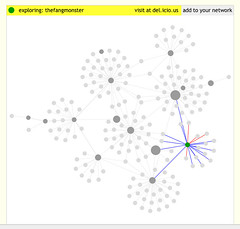
The whole point of using social media is to build relationships with the right people. In your social network there are probably people who help you out in different ways. Recognizing these people and how they are helping you can help you expand these relationships for the benefit of everyone. Here are 6 of the most important people in your social network, and how they can help:
[Read more...]
Identifying 7 of the Most Important People in Your Social Network [updated]
By Sarah Worsham | Social Media, Social Networks
Using Social Media to have a Conversations over the Counter
By Sarah Worsham | Marketing, News & Notes, Social Media, Social Networks, Strategy
Small businesses excel at forming connections with their customers and network. Well before the Internet and online social networks, small businesses had real life social networks where they probably knew just about everyone in their town or village. Being part of a community is still important for any small business, but the Internet and online social media allow the reach to be extended to customers and partners that would never have been reached otherwise.
I grew up in a small town. My dad owned a saloon. I’ve been thinking a lot about his social networks and how they relate to what I do online. Truth is what my dad did with his cash register I do with my computer … the biggest difference is the speed and reach of the Internet. And I believe that entrepreneurial view is what gives every small biz an advantage in establishing a web presence using social media tools – Why Small Town Small Biz Has an Advantage at Using Social Media Tools (Small Biz Survival)
9 Ways to Lose Business Using Twitter
By Sarah Worsham | News & Notes, Opinion, Social Networks, Strategy
Companies and inviduals alike have been flocking to Twitter. Many companies are using Twitter to enage their customers in meaningful conversations, helping with support issues and questions, and gathering feedback to improve their products and services. But some companies are just using Twitter as another broadcast medium, which can actually be harmful. When using Twitter for business here’s what you shouldn’t do:
- Talk only about your company and products – Twitter is a social media for having conversations (that means two-way communication).
- Ignore what people are saying about you – Twitter gives your customers a voice. Pay attention to what they’re saying.
- Fail to Respond – For very large companies with many followers, it can be difficult to respond to every request, but you should try as hard as possible.
- Talk about inappropriate subjects – This happens most often when personal and business subjects mix, but it could also be talking about controversial subjects. Just keep in mind that whatever you say is out there for everyone to see.
- Sell to followers – Obviously some self-promotion is fine, but it should not be the main use of your Twitter account. And you shouldn’t direct message every follower with links to your product or promotions.
- Ask for contacts – If people are interested in your products or services, they’ll contact you. If you provide useful and helpful information, people will start to follow you. People are very protective of their coworkers, friends and family, so don’t violate their trust.
- Ask people to promote your stuff - If they find what you say valuable enough, they’ll tell others. Asking for a rt occasionally may be ok, but constantly bugging people to promote you will just annoy them.
- Don’t do anything constructive with feedback – Your customers are offering feedback because they care (if they didn’t, they wouldn’t bother). If you don’t do anything useful with the feedback, they’ll stop giving it and it’ll be much more difficult to satisfy them.
- Take more than you give – If you fail to offer useful and helpful information, offer support and wisdom, and give information, your customers will stop listening and go elsewhere.
I think a lot of it comes down to acting the same on Twitter as you would in person.
(photo by hansvandenberg30)
Technorati tags: social media, brand, social networking, business, marketing strategy, marketing
Liked this post? Consider subscribing to our RSS feed or our weekly newsletter.
Internet Strategy Forum Summit – Innovate How We Connect
By Sarah Worsham | ISFSummit, News & Notes
Presented by Chris Shimojima, VP Global Digital Commerce, Nike
Make It Better.
Nike’s motto: If you have a body, you’re an athlete.
Nike Plus is an RFID chip in a shoe that interacts with an ipod or a wristband. You can get information on how you run – distance, time, pace, calories burned, etc. On their website, you can connect with other runners, establish challenges, create training regimes, log runs, download music, share routes, etc.
NikeiD – individually designed shoes. Online you can design your own shoes, share your designs and be showcased as a creator. Nike created an exclusive NikeiD design studio experience in NYC for professional athletes. In Japan, they created a mass market design studio to experiment in how to make it work for the masses. Recently they opened two stores in NYC and London for mass market NikeiD.
Nike feels that these services add to the retail experience and do not compete with their existing products. They are a way to differentiate their competitive offerings.
Technorati Tags: social media, social network, social media strategy, internet strategy summit forum
Cubeless – A Virtual Water Cooler
By Sarah Worsham | Reviews, Social Networks
Cubeless is a fun and easy-to-use corporate social network platform which provides a virtual water cooler for employees to share information, jokes, insight and to connect on a personal level even if they are miles apart. The platform is revolves around questions – employees asking and answering questions from/for each other, but adds fun features to keep them coming back.
Once an employee has logged in, they see the ‘Hub’ or an overview of everything that is currently going on in the community:
- Latest Community Question – Lists the last question asked by anyone from the company.
- Recent Notes from friends/coworkers (to the employee) – Peers can leave notes for each employee.
- Hot Topics – By tag cloud.
- Watch List – Questions an employee wants to track.
- Ask a Question – Employees are able to ask a question right from the first page.
- Explore Profiles – Pictures of other employees with links to learn more about them.
- Questions With New Answers – A list of questions that have new answers.
- Referred Questions – Questions that have been referred to the employee to answer. This allows people to get a question answered by the person who knows best.
- Questions I Can Help Answer – Questions the employee has selected as ones they can help answer.
- Latest Picks – Restaurants, Companies, Attractions, etc. other employees have recommended to each – a fun way for employees to find new places to eat or meet.
- Who is Online Now? – Who else is on the community right now.
- Company Stream – List of last 20-24 actions any employee has done on the community.
Just like many social networking platforms, Cubeless allows employees to create their own profile with picture, blog, and join groups. But as an employee asks and answers more questions, visits the sites regularly and contributes, she gains Karma points. This is a fun way to encourage employees to continue to use the network and to interact with each other. Cubeless may be a great alternative to the bland Intranet/Portal solutions out there if you just need a place for your employees to share information and learn from each other or if you have employees who do not all work in the same location.
Technorati Tags: cubeless, social network, intranet, employee portal
Client Communications 2.0 – LinkedIn
By Aaron Worsham | B2B, B2C, Internet Advertising, Reviews, Social Networks
If Facebook had a dad that worked in accounting, drove a Taurus and considered the OpEd section of the Wall Street Journal a “weekend highpoint”, that dad would be LinkedIn.
LinkedIn is the social network we point to when we want to say that the internet is serious business. It is the one example people use when trying to make an argument for expecting more than flying sheep and Parker Brother games in online communities. LinkedIn is about making (and exploiting) business connections. They must be doing something right, they turned a profit in 2006 with 5 million users. They claim 4 times that many users today.
How you can personally benefit You know a few people in your industry. You are already part of a business network that exists through conferences and gatherings, mailing lists and bulletin boards. LinkedIn makes it ridiculously easy to interconnect those business contacts that you have to an online profile. The big idea is that you can benefit from your network connectivity as an industry expert or by being introduced to other people in your field. In theory this uber networking could translate to a better job or a consulting engagement. There are job search boards and expert Answers sections that facilitate some of this for you, though it is possible to arrange things independently.
How LinkedIn makes money The business model that seems to work best for social networks relates to critical mass. Once something has grown large enough to generate its own buzz around a community, it can usually maintain a perpetual inflow of new users. It is the users, their connections and their self-identified business skills and responsibilities that LinkedIn monetizes in its business plan. LinkedIn sells introductions and InMail messages as premiere services, a easy sell for an HR department looking for new talent to recruit.
How your company can use LinkedIn This depends on how large your company is and how technical your customer base is. Most of LinkedIn’s professionals work in white collar management, tech sector or professional industries such as law and medicine. A large company working in any of these markets should consider looking at the Enterprise options for connecting with clients If you’re smaller, then the professional accounts are tiered to meet your needs. LinkedIn does support targeted advertising though their rate card is on the high end for online advertising. This likely reflects their belief in a unique audience of professionals, though an ad in a trade publication may be a better value for a comparable audience. Mostly, you want your sales people to have LinkedIn accounts and to start making connections. Sales leads that come through a recommendation network like this are worth the price of a professional account.
My take I don’t use LinkedIn personally. I have an account that I maintain modestly for my professional friends to connect to. I’m not in sales and my current professional engagements keeps me too busy to fish for work. So from the outside looking in, I see LinkedIn as just another place to keep your contact information. The likelihood that I will look here first for a business recommendation, professional recommendation, job or product offering is small. There are other places that do those things better. A deep user of the LinkedIn networking function may find unique opportunities that a surface user like me never will. My time just doesn’t lend itself to that level of involvement.


Connect with Sazbean